
Share a Link or QR code for Membership
Gym Insight provides two ways to sell memberships online: the Web Widget or the Share a Link feature. The Web Widget allows prospective members to browse available options, while Share a Link provides a direct link to a specific membership. This feature is useful for membership campaigns or for sharing a specific offer with staff.
To reopen a created membership, click the blue pencil icon on the left side.
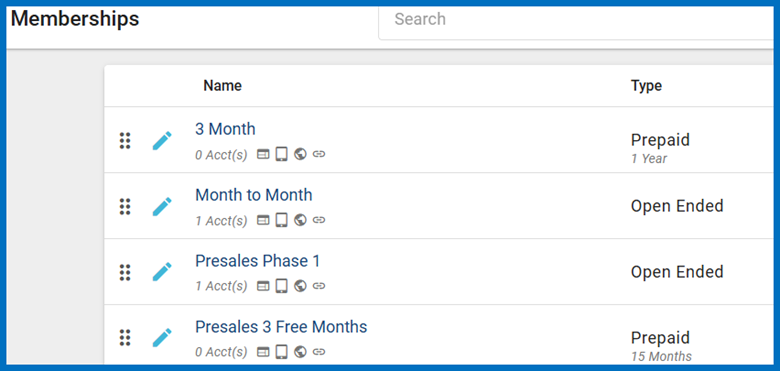
Click the OPTIONS tab.

On the OPTIONS tab, ensure that Share-able Link is selected, and then click SAVE.
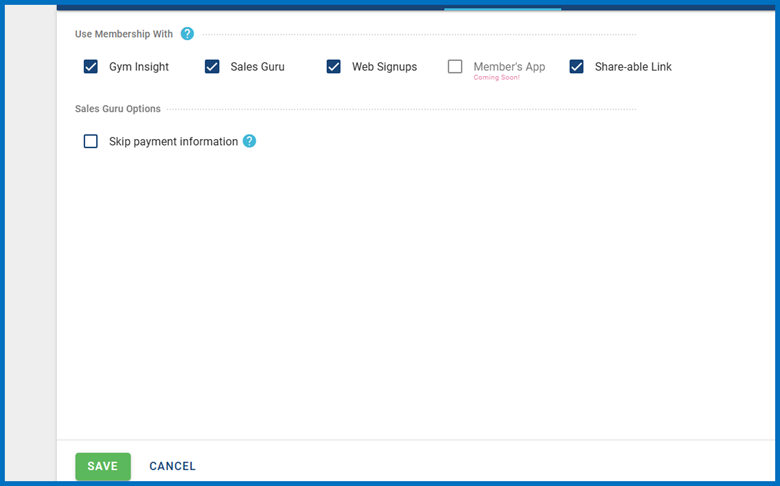
After Share-able Link is enabled, you can share the hyperlink through any communication channel or use the built-in QR code generator to create a unique QR code for the membership.
Locations often use this option to sell day passes or promote specific memberships to the public.
To access the link or create a QR code, locate the membership you want to share.
On the far right, click the three-dot menu. This opens the available membership options.
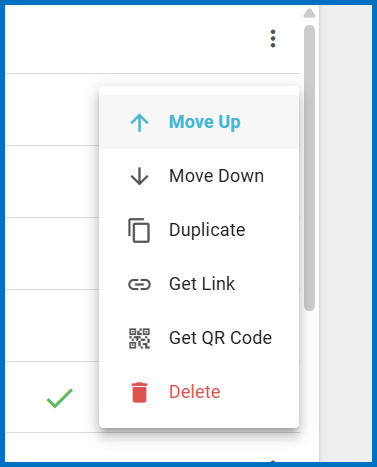
To share the hyperlink, click "Get Link".


When the link is copied successfully, the above appears in the bottom-right corner. The hyperlink is copied to your clipboard and can be pasted into an email, text message, or other communication tool.
Prospective members must provide the same information required for any online enrollment: their personal information and a payment method, even when no amount is due at enrollment.
To share a QR code, click "Get QR Code".
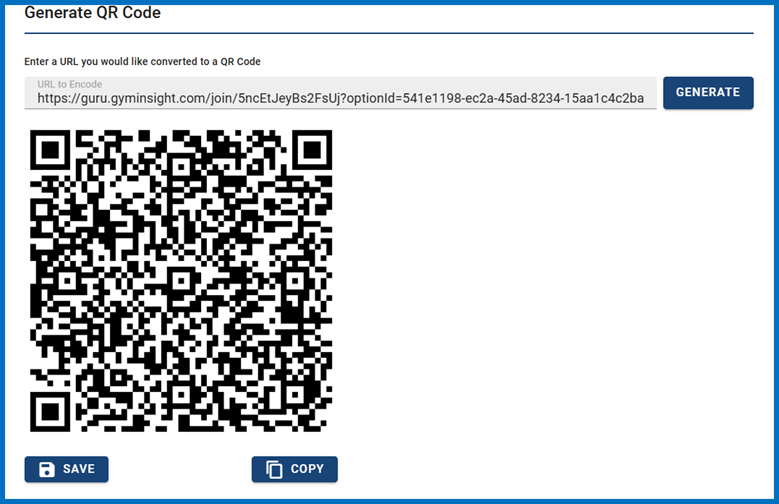
On the Generate QR Code page, the system automatically places the selected membership link in the URL to Encode field and generates a working QR code.
Scan the QR code with a mobile device to verify it. Select SAVE to download the QR code for use in another program, such as when creating a poster or flyer.
Alternatively, select COPY and paste the QR code directly into the document or design program.
This message will appear in the bottom left corner to let you know the QR has been attached and can be pasted where the user will designate.

Once the link or QR code has been created, test it to confirm that it opens the correct membership and displays the expected pricing, terms, and enrollment requirements. You can then confidently share it through email, text messages, social media, printed materials, or other marketing channels, giving prospective members a direct and convenient way to complete their enrollment.