
POS HARDWARE-UNBOXING GUIDE
POS HARDWARE - UNBOXING GUIDE
We are excited to introduce our POS Hardware.
Please enjoy this video guide. If you prefer a step-by-step format, please refer to the guide below.
We will be covering the unboxing of all the items. We will also highlight items to be aware of. The items will arrive from the shipper directly to you.
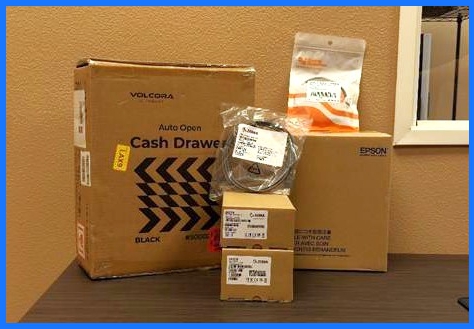

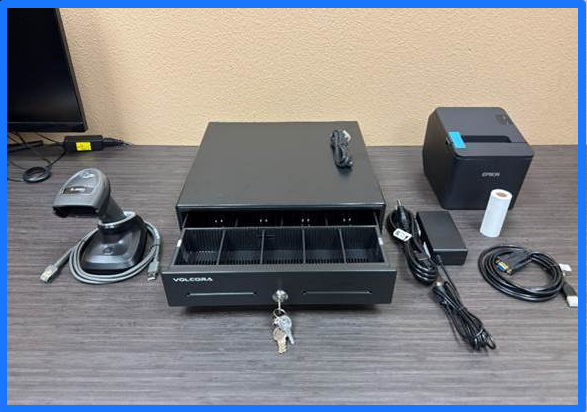
Please take the time to verify receipt of the following items:
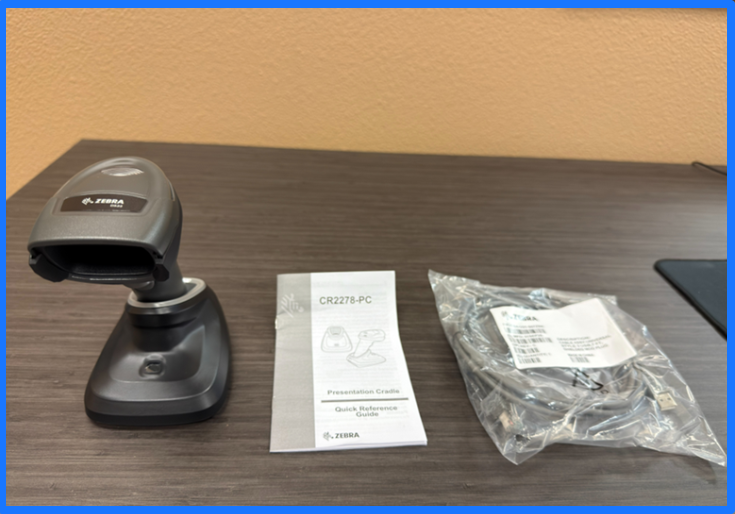
1. Zebra Scanner w/ Base and wire
Do not discard the instruction book as it contains scannable codes made specifically for the model of your scanner. Please ensure that the scanner is programmed and if book is discarded please refer KB article for Programming Zebra scanner

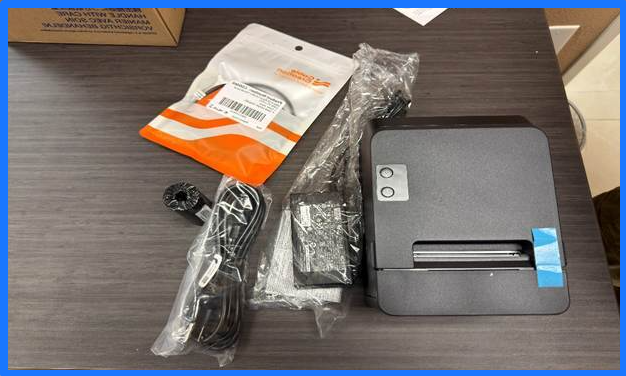
2. Receipt printer
Will include the power cable, the connection cables, and a spool of paper.
-To order replacement printer spools of paper please use this link-Printer Paper
2a) Windows User- an additional Serial-to-USB cable will be included to use for the installation of your receipt printer. This cable must be used to connect the printer to your computer.
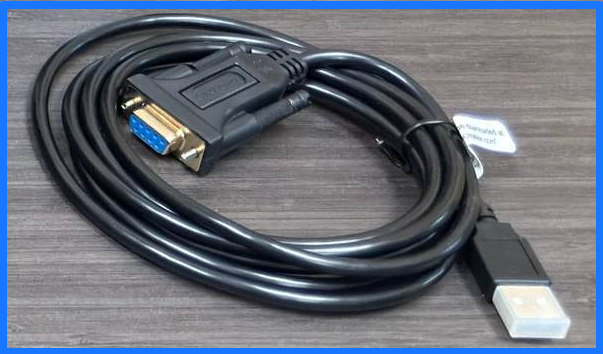
Mac user - Will use the included USB cable that comes with the Receipt Printer.

3. Cash Drawer
The cash drawer will come with connection wire to hook to printer, as well as the cash register keys.
If you are installing the POS HARDWARE system please continue on to the Knowledge Base Article
